
Intercept Instance of the Program Already Running
Imagine you’re running an important application, and suddenly, multiple instances of it start executing simultaneously. This could lead to resource conflicts, file corruption, or unexpected behavior. Handling such cases effectively not only ensur...
Published
•5 min read
T
I am Tuanh.net. As of 2024, I have accumulated 8 years of experience in backend programming. I am delighted to connect and share my knowledge with everyone.
1. The Problem of Multiple Instances
Running multiple instances of the same program may seem harmless at first. However, for certain applications, this can cause significant problems, such as:
- Resource Conflicts: Two instances might attempt to write to the same file, leading to data corruption.
- Port Clashes: Networked applications may fail if both instances attempt to bind to the same port.
- User Confusion: Multiple application windows can confuse end-users.
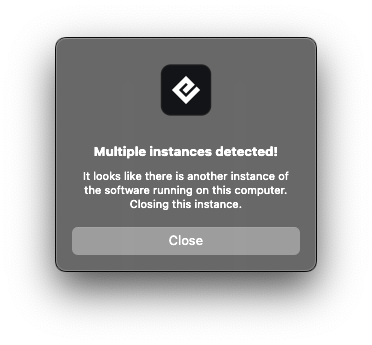
1.1 Common Scenarios Leading to Multiple Instances
- A user accidentally double-clicking the application icon.
- Background services restarting the application unintentionally.
- Bugs in deployment automation causing multiple launches.
1.2 Why Prevention Matters
Detecting and preventing additional instances not only saves system resources but also avoids potential data corruption, ensuring the program behaves as intended.
2. Techniques to Intercept Multiple Instances
Java provides several approaches to detect and prevent additional program instances. Below, we discuss the most effective methods with examples.
2.1 Using a Lock File Mechanism
One of the simplest ways to ensure only one instance runs is by using a lock file. The application creates a temporary file upon startup. If the file already exists, the application terminates, signaling another instance is running.
import java.io.File;
import java.io.IOException;

public class SingleInstanceApp {
    private static final String LOCK_FILE = "app.lock";

    public static void main(String[] args) {
        File lockFile = new File(LOCK_FILE);

        try {
            // Check if lock file exists
            if (lockFile.exists()) {
                System.out.println("Another instance of the program is already running.");
                System.exit(1);
            }

            // Create lock file
            if (!lockFile.createNewFile()) {
                throw new IOException("Failed to create lock file.");
            }

            // Add shutdown hook to delete lock file on exit
            Runtime.getRuntime().addShutdownHook(new Thread(() -> {
                if (lockFile.delete()) {
                    System.out.println("Lock file deleted.");
                }
            }));

            // Simulate program logic
            System.out.println("Program is running. Press Ctrl+C to exit.");
            Thread.sleep(Long.MAX_VALUE);

        } catch (IOException | InterruptedException e) {
            e.printStackTrace();
        }
    }
}
Explanation:
- The program checks if the app.lock file exists at startup.
- If the file exists, the program terminates, assuming another instance is already running.
- The lock file is automatically deleted when the program exits, thanks to a shutdown hook.
2.2 Using Network Ports
Another effective method is using a specific port. If the port is already in use, the application assumes another instance is running.
import java.io.IOException;
import java.net.ServerSocket;

public class SingleInstanceAppWithPort {
    private static final int PORT = 9999;

    public static void main(String[] args) {
        try (ServerSocket socket = new ServerSocket(PORT)) {
            System.out.println("Program is running on port " + PORT + ". Press Ctrl+C to exit.");
            Thread.sleep(Long.MAX_VALUE);
        } catch (IOException e) {
            System.out.println("Another instance of the program is already running.");
            System.exit(1);
        } catch (InterruptedException e) {
            e.printStackTrace();
        }
    }
}
Explanation:
- The program attempts to bind to port 9999.
- If the port is unavailable, another instance of the program is assumed to be running.
- This approach is particularly useful for server applications.
2.3 Using Inter-Process Communication (IPC)
IPC mechanisms like Java’s FileChannel can also be employed to ensure only one instance is active. This is a more robust approach than lock files and works cross-platform.
import java.io.File;
import java.io.RandomAccessFile;
import java.nio.channels.FileChannel;
import java.nio.channels.FileLock;

public class SingleInstanceAppWithIPC {
    private static final String LOCK_FILE = "app.lock";

    public static void main(String[] args) {
        try (RandomAccessFile raf = new RandomAccessFile(new File(LOCK_FILE), "rw");
             FileChannel channel = raf.getChannel();
             FileLock lock = channel.tryLock()) {

            if (lock == null) {
                System.out.println("Another instance of the program is already running.");
                System.exit(1);
            }

            System.out.println("Program is running. Press Ctrl+C to exit.");
            Thread.sleep(Long.MAX_VALUE);

        } catch (Exception e) {
            System.out.println("Another instance of the program is already running.");
            System.exit(1);
        }
    }
}
Explanation:
- The program uses FileChannel to attempt a lock on the file.
- If another instance holds the lock, this instance exits immediately.
- This approach is ideal for applications requiring high concurrency safety.
3. Best Practices and Considerations
Clean-Up Mechanisms
Always ensure lock files or resources are cleaned up when the application exits. Failure to do so might result in false positives.
User Feedback
Provide clear messages to users when an additional instance is blocked, explaining the reason for termination.
Cross-Platform Compatibility
Ensure that the method you choose works across all target platforms. For instance, file locks behave differently on some OSes.
Testing
Test your interception logic under various scenarios, such as crashes and forced terminations, to ensure robustness.
4. Conclusion
Handling multiple program instances effectively is a crucial aspect of application design. Whether through lock files, network ports, or IPC, each method offers unique advantages depending on the use case. Have you encountered issues with multiple instances in your applications? What solutions have worked best for you? Share your thoughts or ask questions in the comments below!
Read more at : Intercept Instance of the Program Already Running


