
Tips for Iterating Through Arrays with Null Elements in Java: A Complete Guide with Code Examples
Handling arrays with null elements in Java is a common challenge that many developers face. Null values can cause unexpected runtime exceptions or logical errors if not handled correctly. This article provides a detailed exploration of techniques...
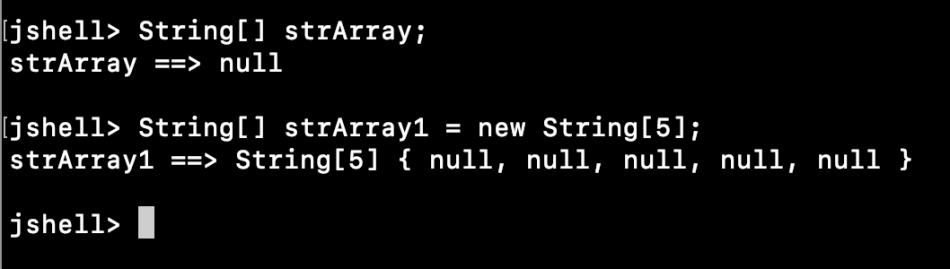
Source: Tips for Iterating Through Arrays with Null Elements in Java: A Complete Guide with Code Examples
Null elements in arrays can represent missing or undefined data. While Java offers flexibility in managing arrays, neglecting null checks can lead to issues such as NullPointerException. For example, in applications like data processing, user input, or external API integration, null values are inevitable.
A simple attempt to process an array without null checks might look like this:
String[] names = {"John", null, "Jane", "Alice"};
for (String name : names) {
    System.out.println(name.toUpperCase());
}
This code will throw a NullPointerException when encountering null. Developers often overlook such cases, resulting in application crashes or degraded user experiences.
There are multiple strategies to iterate through arrays containing null values while ensuring safe and efficient handling.
A traditional for loop gives granular control over array elements. You can explicitly check for null values before performing operations.
String[] names = {"John", null, "Jane", "Alice"};

for (int i = 0; i < names.length; i++) {
    if (names[i] != null) {
        System.out.println(names[i].toUpperCase());
    } else {
        System.out.println("Null value at index " + i);
    }
}
Explanation:
- The if statement ensures that only non-null elements are processed.
- Null elements are logged for debugging or alternate handling.
The enhanced for loop simplifies syntax but requires inline checks for null handling.
for (String name : names) {
    if (name != null) {
        System.out.println(name.toUpperCase());
    } else {
        System.out.println("Encountered a null value.");
    }
}
Explanation:
- This approach reduces boilerplate code while maintaining clarity.
- Inline null handling ensures the program avoids runtime exceptions.
For more complex scenarios, Java provides additional tools and libraries that can streamline null handling.
The Optional class in Java 8+ offers a robust way to handle null values.
import java.util.Optional;

String[] names = {"John", null, "Jane", "Alice"};

for (String name : names) {
    Optional.ofNullable(name)
            .ifPresentOrElse(
                n -> System.out.println(n.toUpperCase()),
                () -> System.out.println("Null value encountered.")
            );
}
Explanation:
- Optional.ofNullable wraps the element, allowing safe operations without explicit null checks.
- ifPresentOrElse provides a clean syntax for handling non-null and null cases separately.
Java Streams offer a functional approach to processing arrays while filtering out null values.
import java.util.Arrays;

String[] names = {"John", null, "Jane", "Alice"};

Arrays.stream(names)
      .filter(name -> name != null)
      .forEach(name -> System.out.println(name.toUpperCase()));
Explanation:
- The filter method excludes null elements from the stream.
- forEach processes only the non-null elements, ensuring safety and clarity.
Consider an application that processes a list of usernames submitted by users. Users might leave fields empty, resulting in null elements.
String[] usernames = {"admin", null, "guest", null, "user"};
for (String username : usernames) {
    if (username != null && !username.isEmpty()) {
        System.out.println("Valid username: " + username);
    } else {
        System.out.println("Invalid or missing username.");
    }
}
Best Practice: Always validate user-provided data for null or empty values before processing.
External APIs might return arrays with missing data fields represented as null.
String[] apiData = fetchApiData();
for (String data : apiData) {
    if (data != null) {
        System.out.println("Data received: " + data);
    } else {
        System.out.println("Missing data detected.");
    }
}
Best Practice: Implement defensive programming to handle nulls gracefully.
Iterating through arrays with null elements in Java requires attention to detail and an understanding of various iteration techniques. Whether using traditional loops, enhanced loops, or advanced tools like Optional and Streams, developers must ensure null safety to avoid runtime issues.
If you have any questions or suggestions, feel free to comment below! Let's discuss the best practices and challenges you’ve faced when working with arrays in Java.
Read more at : Tips for Iterating Through Arrays with Null Elements in Java: A Complete Guide with Code Examples
About the author
I am Tuanh.net. As of 2024, I have accumulated 8 years of experience in backend programming. I am delighted to connect and share my knowledge with everyone.
Comments
Join the discussionNo comments yet. Be the first to comment.


